

ULTIMATE GAMING SETUP ON A BUDGET
What You Actually Need (2025 Guide)
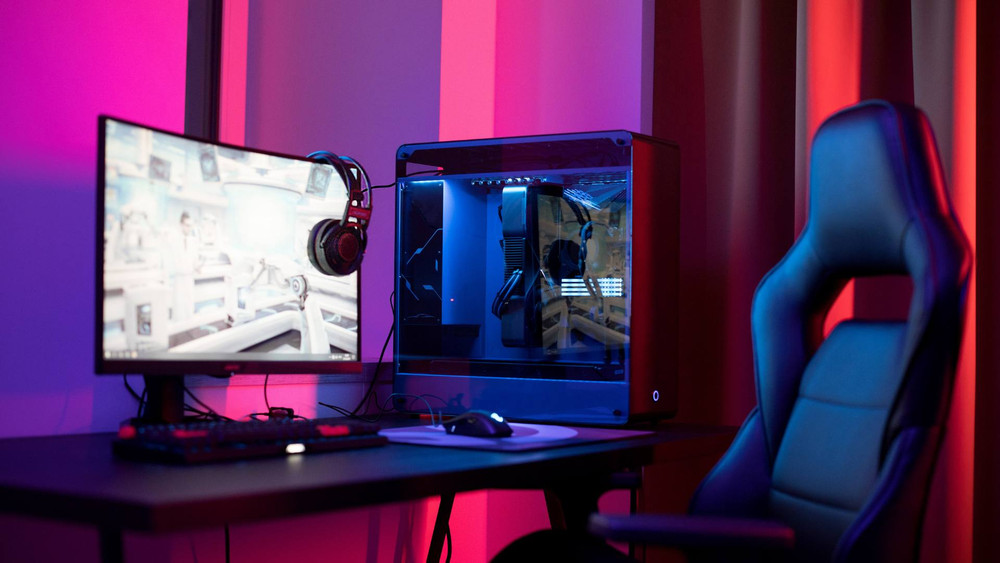
Introduction: The Value Mindset
In 2025, building a powerful gaming setup doesn't require emptying your bank account. The true **"ultimate budget"** trick is knowing where to spend your money and, crucially, where to save. Our goal is to achieve stable 60+ FPS performance at 1080p for AAA titles and high refresh rates for competitive games like Valorant and BGMI.
This guide breaks down the essential components, prioritizing **Performance per Rupee (PPR)**.
The PC: Where to Invest Every Rupee
1. The GPU: Your Performance Engine
This is the **single most important component** for gaming performance. Don't cheap out here.
- Invest Heavily: Aim for the best mid-range card your budget allows (e.g., current generation budget cards or previous generation mid-range cards bought secondhand).
- Avoid: Buying a low-end card with limited VRAM (less than 8GB is a bottleneck in 2025).
2. The CPU & Motherboard: The Foundation
Choose a modern entry-level CPU that won't bottleneck your GPU.
- Spend Smartly: A reliable 6-core CPU is sufficient. Pair it with a **budget B-series motherboard** (not Z-series), as budget CPUs don't need high-end overclocking features.
- The Trick: Choose an **AMD platform** for better long-term upgrade paths or focus on an Intel non-K (non-overclockable) chip for cost savings.
3. RAM & Storage: The Efficiency Boost
These components have a massive impact on load times and multitasking without huge costs.
- RAM Standard: **16GB (2x8GB) Dual-Channel** is non-negotiable for 2025. Ensure you buy the highest supported frequency for your chosen CPU/Motherboard.
- Storage Must-Have: A **1TB NVMe SSD** is mandatory. Do not use an old HDD for your operating system or primary games—it will kill your budget experience.
4. PSU & Case: Safety and Savings
The PSU is critical for safety; the case is where you save big.
- Spend on Quality PSU: Buy a **reputable brand** with at least a **Bronze efficiency rating**. A cheap PSU can fry your entire system.
- Save on Case: Choose the cheapest case that offers **good airflow**. Forget tempered glass and RGB strips if they cost extra.
Peripherals: The Budget Battleground
The Monitor: The Window to Your Game
Your monitor dictates your experience more than you think.
- Competitive Priority: Get a **144Hz monitor**. The refresh rate is more valuable than 4K resolution on a budget rig.
- Save Money: Stick to 24-inch monitors and look for sales on VA or IPS panels—avoid the highest-end G-Sync/FreeSync models.
Mouse & Keyboard: Input Matters
Accuracy is key, so don't settle for generics here.
- Spend on the Mouse: Invest in a decent lightweight gaming mouse with a **reliable sensor** (e.g., Logitech G102, Razer Viper Mini).
- Save on the Keyboard: Look for a reliable **membrane or budget mechanical keyboard**. The cheapest full RGB mechanical boards often use lower-quality switches; focus on a quality TKL (tenkeyless) design instead.
Where to Buy in India (2025)
For the best prices and warranty support, stick to these primary channels:
- Online Giants: **Amazon India** and **Flipkart** are best for peripherals, pre-built components (RAM, SSDs), and monitors due to frequent sales and easy returns.
- Specialized PC Stores: Websites like **MDComputers, PrimeABGB, and ITDepot** are often preferred for core components (CPU, GPU, Motherboard) as they frequently offer the latest stock and specialized component warranty support.
- Local Dealers: Don't ignore local computer markets (like Lamington Road in Mumbai or Nehru Place in Delhi). They can offer competitive cash pricing, especially on GPUs, but verify the warranty carefully.
Crucial Tip: Always cross-check prices across multiple sites before buying!
Final Verdict: Maximizing PPR
The ultimate budget gaming setup in 2025 is built around **performance essentials**. Sacrifice flashy aesthetics, RGB lighting, and unnecessary high-tier CPUs. Instead, funnel every extra rupee into the **GPU, RAM, and Monitor**.
By focusing on performance-per-rupee, you can build a formidable rig that crushes 1080p gaming without the high price tag!